

Getting inundated with login notifications? You might be experiencing an MFA fatigue attack that tricks people into approving fake login requests. Here’s how to spot the scam and protect yourself.
Cybersecurity tips to help you stay safe this summer
Your summer plans shouldn’t come with unforeseen cybersecurity threats. From public Wi-Fi to cottage rental scams, learn how cybercriminals can target you and find out how to protect your vacation with these practical tips.
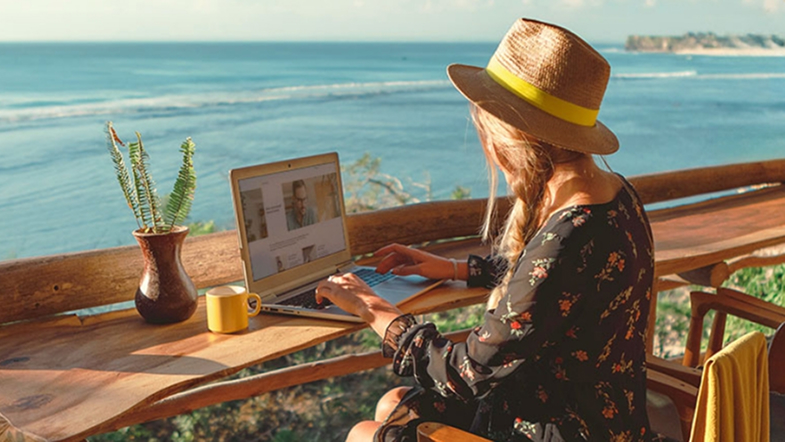
Whether you're enjoying a staycation or travelling this summer, a few simple precautions can help you protect your online security.
Here’s what makes you vulnerable during summer vacation season:
- Relaxed vigilance. You’re in vacation mode, not security mode, which means it’s less likely you’re scanning your credit card statements or email to spot any red flags.
- Cottage and rental Wi-Fi. Some vacation properties don’t provide renters with secure networks, making hacking even easier for web-savvy cybercriminals.
- Social media oversharing. Real-time posts from beaches, cottages, or campsites reveal you’re away from home, especially when you tag the exact location you’re in.
- Unfamiliar environments. You may be more likely to trust questionable Wi-Fi networks or charging stations at marinas, beach clubs, or tourist areas because, though you’re on vacation, there’s an itch to remain connected (especially when you realize your cell service isn’t working as it usually does).
7 cybersecurity tips for a carefree holiday
Here are seven essential cybersecurity tips to help you enjoy a more carefree, secure vacation, whether you’re staying close to home or travelling far away.
1. Update your devices before you go
Cybercriminals exploit known vulnerabilities in the software of smartphones and laptops, so keeping your devices updated is critical for summer travel. Install all security updates for your phone, tablet and laptop before you leave for that beach resort or cottage rental.
2. Stay connected safely: Skip the public Wi-Fi or use a VPN
Public Wi-Fi networks often lack proper encryption, making your data vulnerable to interception. Hackers can create fake hotspots mimicking legitimate networks, conduct “man-in-the-middle” attacks where they secretly intercept your communication, or use tools to capture data transmitted over the network.
What to do instead
- Use your cellular data when possible. It’s much more secure than public Wi-Fi.
- If you must use cottage or resort Wi-Fi, connect through a reputable VPN service first.
- Avoid accessing your most sensitive accounts like banking or insurance apps on shared networks.
- Turn off automatic Wi-Fi connections on your devices to prevent connecting to malicious networks.
3. Share wisely: Maximize social media privacy while away
That sunset beach photo or cottage dock shot is no-doubt stunning. But real-time posts from locations other than your home may make you more vulnerable to account hacking attempts.
Smart sharing strategies
- Wait until you’re home to post summer vacation photos. The memories will be just as sweet!
- Turn off location services for social media apps before you head to the cottage or beach, so hackers can’t track your real-time location.
- Review your privacy settings and make sure only friends can see your posts while you're away.
- Avoid sharing travel dates, cottage addresses, or campsite details in posts or stories.
- Be mindful of background details in photos like cottage numbers, marina names or distinctive landmarks that might give away where you are.
4. Power up securely: Best practices for charging on-the-go
“Juice jacking ” is a cyberattack that occurs when public USB charging stations are compromised by malicious cords. The ultimate goal is for a hacker to steal your data or install malware when you plug in your device.
Safer charging options
- Bring a portable power bank. Charge it at home and you’ll have secure power anywhere you roam.
- Use wall outlets with your own charger and cable instead of USB ports.
- If you absolutely must use public USB ports, don’t unlock your device while charging. Once you unlock your device a hacker will not only have your passcode/password, they’ll have full access to your information.
5. Browse confidently using public computers
Computers in business centres and cottage rental offices are very convenient. But they can also be risky. Previous users might have unknowingly downloaded malware onto the desktop, or the computers could be riddled with viruses planted by cybercriminals looking to capture your information.
Public computer safety rules
- Never access banking, insurance, or other sensitive accounts on shared computers.
- Always log out completely and clear browsing history when you’re done.
- Don't save passwords or personal information on these devices.
- Watch for shoulder surfers who might be watching your screen.
- Use private browsing mode if available, though this doesn’t guarantee security.
If you need to check important accounts while at the cottage or beach, use your smartphone with cellular data instead of public computers.
6. Book with confidence: Spotting vacation rental scams
Summer cottage and beach rental scams are becoming more and more prevalent. They’re also escalating in sophistication, with scammers leveraging AI to create highly convincing fake cottage listings and reviews. How can you tell a fake ad from a real one?
Red flags to watch for
- Cottage or beach house prices that are significantly below market rate for an area.
- Requests for payment outside a booking platform’s secure system.
- Sites with poor grammar, incorrect spelling or generic property descriptions.
- Cottages and beach rentals that lack reviews or have suspiciously perfect ones.
- Pressure from an owner to book immediately before having time to verify a cottage or beach house’s details.
Verification steps you should always take
- Use reputable booking platforms with secure payment systems and user protections.
- Verify the cottage or beach property exists using Google Maps.
- Research the host’s profile and check their other summer rental listings for consistency.
- Communicate only through the official platform - never move conversations to email or text.
Most importantly, trust your instincts. If something feels off about a cottage rental, it probably is.
7. Use location tracking apps responsibly
Find My iPhone and similar apps are lifesavers if your device is stolen during a beach day or cottage trip. These tools can help you locate lost devices or remotely wipe them if they’re stolen during beach activities or while exploring new destinations.
Smart location settings for summer travel
- Enable device-finding features before you leave for your vacation. Set this up at home when you’re on a secured network.
- Review who can see your location in family sharing settings and temporarily limit access if needed.
- Consider disabling location sharing with non-essential contacts while you’re at your summer destination.
- Allow apps to access your precise location only when necessary. General area sharing is often sufficient for family safety.
- Remember that some apps continue tracking even when you think they’re off.
How to access banking or insurance accounts safely while away
Keeping in mind all the tips above, sometimes you need to check your accounts while away from home. Here’s how to do it securely without putting your financial information at risk.
- Use your cellular data, not public Wi-Fi, whenever possible for account access.
- Access accounts through official apps rather than web browsers. Apps are generally more secure and are updated with security software frequently.
- Enable two-factor authentication before you travel and make sure you can receive codes via text, phone call, or over email.
- Never click links in emails or texts claiming to be from your bank. Go directly to the official website or call your bank’s customer service line to see if they actually require something from you.
- Monitor your accounts regularly for suspicious activity and report issues immediately.
Think you’ve been hacked? Don’t panic but do act quickly. Here are some immediate steps you can take.
Important reminder: Sun Life will never ask for your password or personal information via email or text, regardless of which country you’re visiting. If you receive suspicious communications claiming to be from us, or if you think your account has been compromised, contact us immediately. Our security team is available to help secure your account and investigate any unauthorized activity.
This article is meant to provide general information only. Sun Life Assurance Company of Canada does not provide legal, accounting, taxation, or other professional advice. Please seek advice from a qualified professional, including a thorough examination of your specific legal, accounting and tax situation.